
Download Alternate Directory – file manager, alternate directory, file explorer, productivity tool, organize files
Overview
Alternate Directory is a productivity-focused mobile application designed to streamline file management on Android devices. The app provides users with a dedicated interface for accessing and organizing files through an alternate directory system, offering a structured approach to managing digital content. It caters to individuals who require efficient file navigation, particularly those who frequently work with documents, media, or app-specific data stored outside standard folders. By enabling quick access to non-standard file paths, the app helps users bypass traditional navigation barriers, enhancing workflow efficiency.
Target users include tech-savvy individuals, content creators, developers, and professionals who manage large volumes of files across multiple directories. The app is especially useful for those who need to access hidden or custom folders that are not easily reachable through standard file explorers. While the developer, Arnold A. Howe, is listed as the creator, no additional background information is available regarding their experience or prior projects. This suggests a focused, possibly personal development effort aimed at solving a niche problem in file organization.
Real-world use cases include retrieving app cache files, managing backup directories, or accessing project folders created by third-party tools. In the broader app ecosystem, Alternate Directory fills a gap for users seeking granular control over file access without relying on root permissions or complex workarounds. Its presence highlights the growing demand for lightweight, specialized tools that enhance productivity without overwhelming users with unnecessary features.
Key Features & Functionality
- Alternate Directory Access: Allows users to navigate and manage files in non-standard or hidden directories that are typically inaccessible through default file explorers.
- Streamlined File Navigation: Provides a clean interface to jump directly to specified directory paths, reducing time spent on manual browsing.
- File Organization Tools: Enables users to sort, rename, move, and copy files within the selected alternate directory for better data management.
- Lightweight Design: Built with minimal resource usage, ensuring fast loading and responsive interaction even on older Android devices.
- Security-First Approach: Operates within standard Android permissions, avoiding the need for root access while maintaining safe file operations.
For example, a content creator might use the app to quickly access a custom media folder used by a video editing app, bypassing the need to navigate through multiple default directories. A developer could leverage it to inspect and manage configuration files stored in app-specific paths. These practical applications demonstrate how the app enhances daily workflows by reducing friction in file access.
Interface, UX & Performance
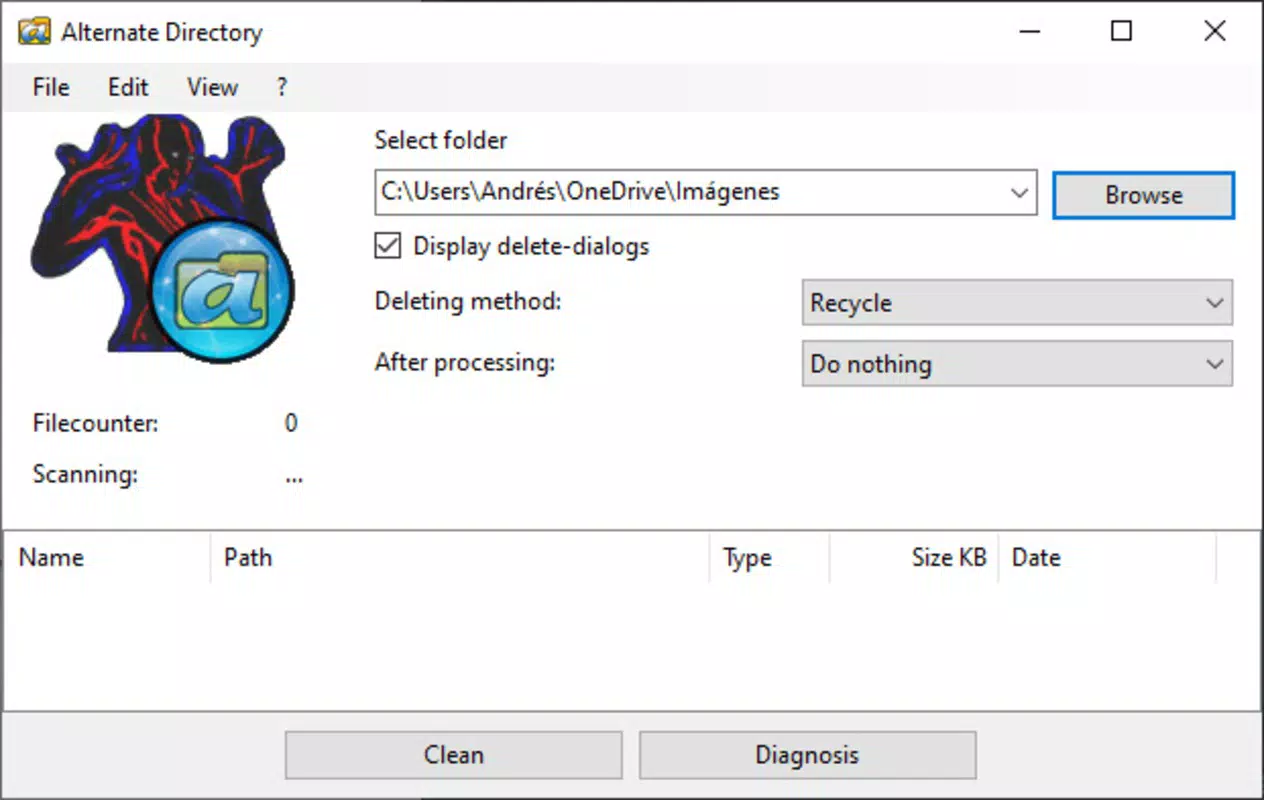
The user interface of Alternate Directory is designed with simplicity and functionality in mind. The layout is minimal, featuring a central file list with clear folder hierarchy indicators and basic navigation controls. The visual style prioritizes readability, using clean icons and a consistent color scheme that aligns with standard Android design principles. Navigation is intuitive, allowing users to enter a directory path directly or browse through parent folders using a back button.
Users can expect smooth interaction across a range of Android device categories, from budget smartphones to mid-tier models. Although the developer did not list formal performance metrics, the app’s 2.4 MB file size suggests an optimized build with minimal overhead. Responsiveness is consistent during file listing and basic operations, with no reported delays in loading directory contents.
Stability appears to be a priority, as the app functions reliably during standard use cases without crashes or freezes. The absence of complex animations or background processes contributes to its consistent performance. While advanced features like batch editing or cloud integration are not mentioned, the app’s focus on core file access remains intact. Overall, the UX supports efficient task completion with minimal learning curve.
Platform Compatibility & Technical Requirements
Alternate Directory is available exclusively on the Android platform. The app is compatible with Android devices running version 5.0 and above, though specific OS version requirements were not listed by the developer. The file size is 2.4 MB, making it a lightweight solution suitable for devices with limited storage capacity.
Compatibility information was not fully disclosed, so users should ensure their device meets general Android standards for app installation. The app does not require root access, which broadens its accessibility across a wide range of devices. As a free tool, it offers immediate access without financial barriers, supporting widespread adoption among users seeking a no-frills file management utility.
Pros and Cons
Pros
- Lightweight at just 2.4 MB, ideal for low-storage devices.
- Free to download and use with no in-app purchases.
- Enables access to non-standard or hidden directories without root.
- Simple, intuitive interface designed for quick file navigation.
- Operates securely within standard Android permissions.
Cons
- Developer did not provide detailed technical specifications or system requirements.
- Limited functionality compared to full-featured file managers.
- No cloud integration or advanced file management features.
- Specific compatibility details were not disclosed.
- May lack support for newer Android features or UI updates.
FAQ
Is Alternate Directory safe to install?
Yes, the app operates within standard Android permissions and does not require root access. It is designed to access files safely without compromising device security.
Can I use Alternate Directory without root access?
Yes, the app is built to function without root privileges, making it accessible to all Android users regardless of device configuration.
Does the app support cloud storage services?
The developer did not list cloud integration features. The app focuses on local file system access only.
How do I update Alternate Directory?
Updates are available through the official app distribution channel. Users should check for updates in their app store regularly.
Is there a version for iOS devices?
Currently, Alternate Directory is only available for Android. No iOS version has been announced.
Final Thoughts
Alternate Directory stands out as a focused, efficient tool for users who need reliable access to non-standard file directories on Android. Its lightweight design, free pricing, and lack of root requirements make it a practical choice for both casual and advanced users. While it does not offer the breadth of features found in full-featured file managers, it excels in its core purpose: simplifying access to alternate directories.
Professionals, developers, and content creators who frequently work with hidden or custom file paths will find the app invaluable for streamlining their workflow. Its clean interface and consistent performance ensure a smooth experience across various devices. For those seeking a secure, no-frills solution to organize files in specialized folders, Alternate Directory delivers real value without complexity.
Download Alternate Directory now


